Turn more site visits into bookings
The site visit is where deals are won. Realease makes sure every visit is scheduled, confirmed, attended and followed up — and shows you which projects, sources and agents convert best.
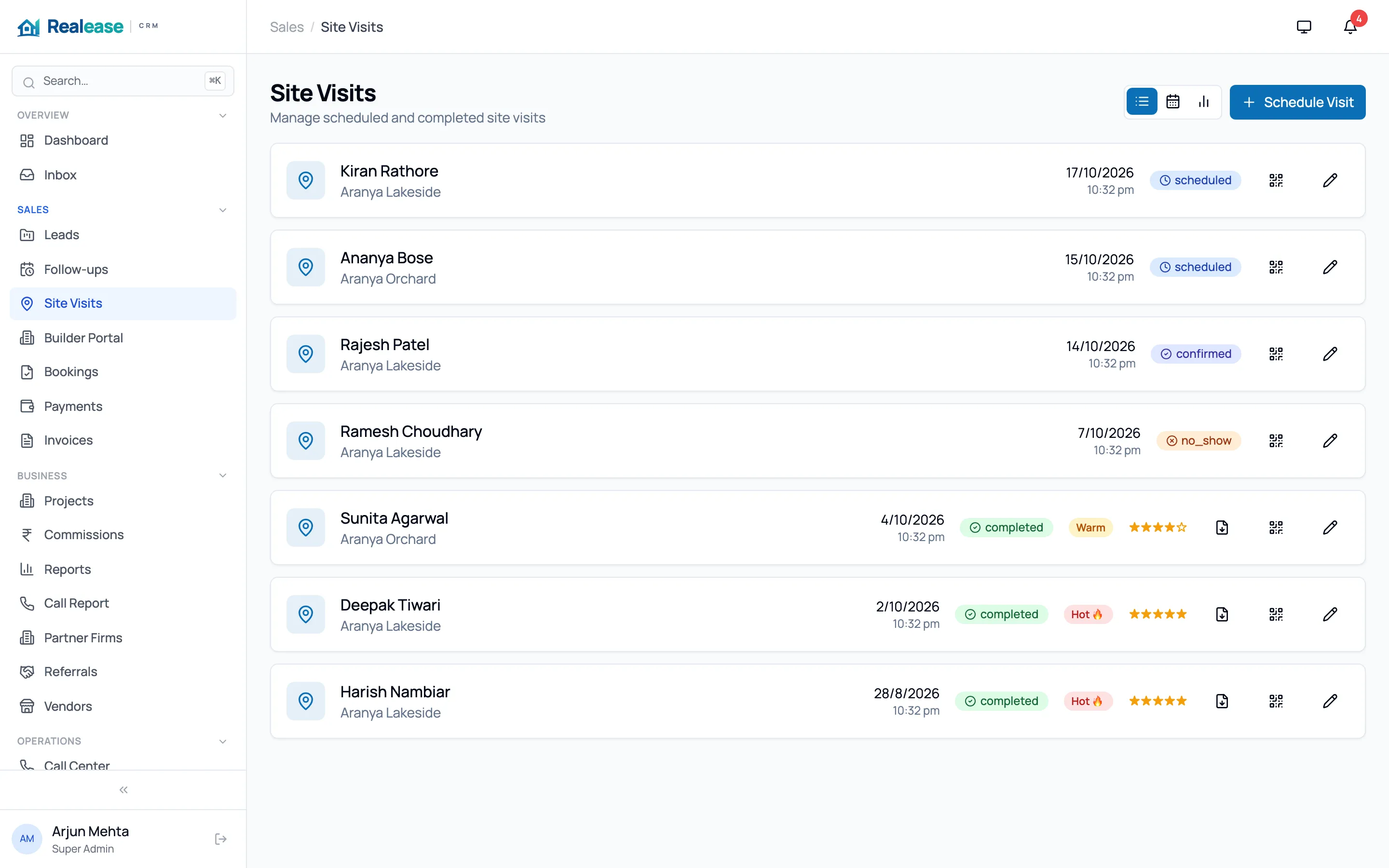
What you get with site visits
Schedule in two taps
Book a visit from the lead, pick the project and time, and it appears on the agent’s calendar and the site team’s list.
Automatic reminders
Buyers get reminders before the visit and agents get a nudge, cutting no-shows without anyone chasing.
Walk-in kiosk at the sales office
Visitors register themselves on a tablet at the site. The lead is created or matched, and the right person is notified instantly.
Feedback that drives the next step
Record interest level, preferred unit and objections right after the visit, then schedule the follow-up before the buyer leaves.
Builder visit portal
Channel partners register their visits with the builder, and site teams confirm them — no disputes about who brought the buyer.
Visit reports
See visits scheduled vs. done, conversion to booking by project and agent, and download visit reports as PDF.
Can buyers check themselves in at the site? +
Yes. The walk-in kiosk runs on any tablet browser. Buyers enter their details, Realease matches them to an existing lead or creates a new one, and notifies the assigned agent.
Do buyers get reminders before a visit? +
Yes. Realease sends automatic reminders before the scheduled visit, and the agent gets a notification too.
More from Realease
Lead management
Every enquiry from portals, ads, your website and walk-ins lands in one list — de-duplicated, scored and assigned in seconds.
Channel partner management
Give brokers and channel partners their own portal to register leads and visits, with clear ownership and transparent commissions.
Bookings & payments
Manage inventory, record bookings, track payment milestones, send invoices and receipts, and collect online with Razorpay.
Automation & WhatsApp
Nurture sequences, follow-up reminders and WhatsApp messages that run on their own — so no buyer slips through the cracks.
See Realease with your own projects
A 30-minute walkthrough tailored to how your team sells. We’ll show you lead capture from your portals, site visits, partners and bookings.